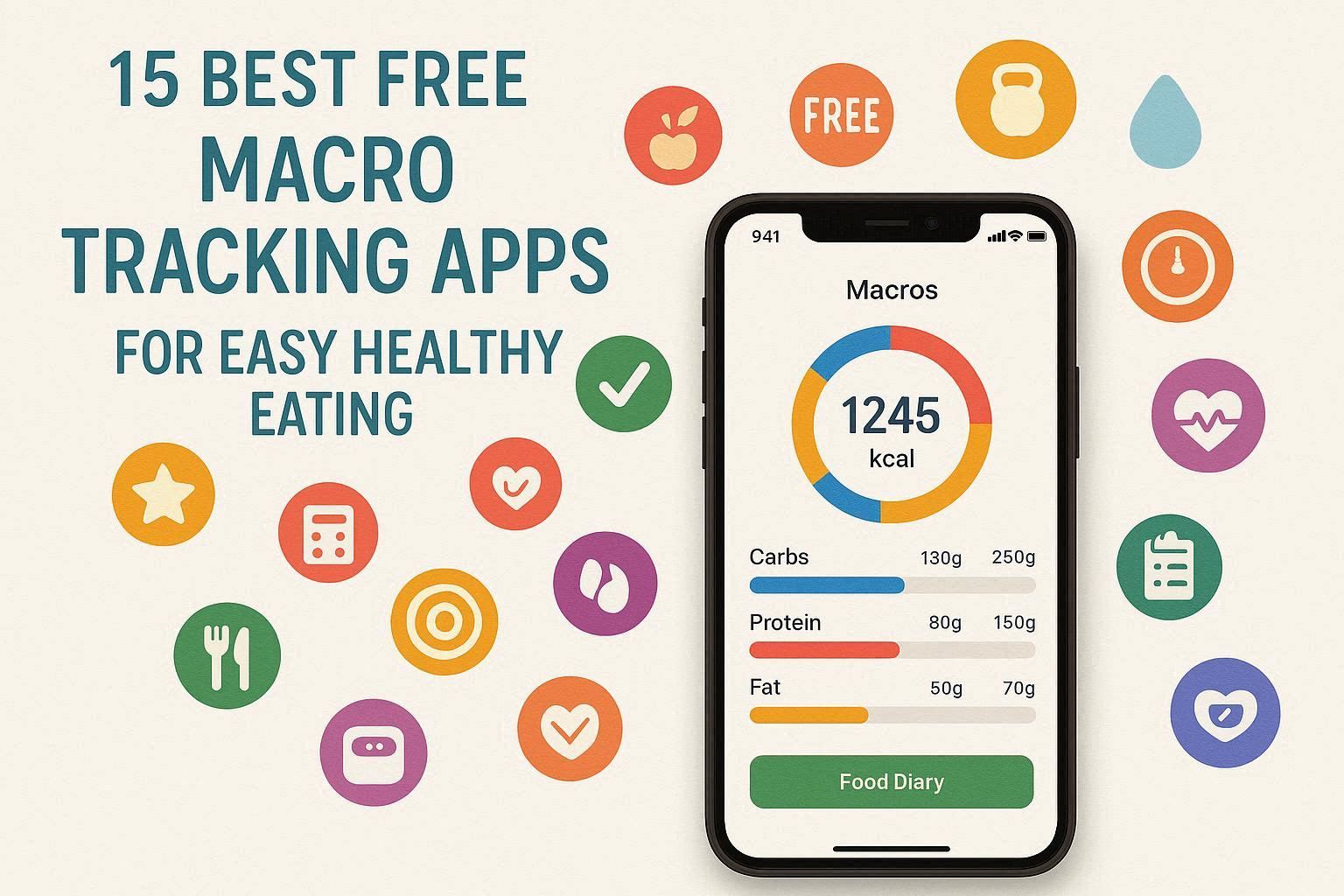
Tracking macronutrients has become one of the most effective strategies for achieving fitness goals, whether you’re aiming for weight loss, muscle gain, or simply maintaining a balanced diet. A comprehensive 2020 review of mobile weight-loss apps found that the most effective tools included macro breakdowns, goal-setting, and behavioral support (Ghelani et al., 2020).
However, with hundreds of tracking apps available on the market, choosing the right one can feel overwhelming. The good news? Many of the best macro tracking apps are completely free to use. This guide breaks down the 15 best free macro tracking apps available in 2026, helping you find the perfect fit for your lifestyle and goals.
Contents
- 1 What Are Macros and Why Track Them?
- 2 Comparison Chart: 15 Best Free Macro Tracking Apps
- 3 The 15 Best Free Macro Tracking Apps
- 3.1 1. EatAI – Best Smart Meal Logging with Voice Recognition
- 3.2 2. Calor AI – Best Overall Macro Tracker
- 3.3 3. MyFitnessPal – Most Comprehensive Database
- 3.4 4. Cronometer – Best for Micronutrient Tracking
- 3.5 5. MacrosFirst – Best Free Features
- 3.6 6. Lose It! – Best Visual Tracker
- 3.7 7. MacroFactor – Best Adaptive Tracking
- 3.8 8. Carb Manager – Best for Keto & Low-Carb
- 3.9 9. FatSecret – Best Community-Focused App
- 3.10 10. Lifesum – Best for Lifestyle Guidance
- 3.11 11. Eat This Much – Best AI Meal Planning
- 3.12 12. Stupid Simple Macros – Best for Simplicity
- 3.13 13. Food Noms – Best for Customization
- 3.14 14. Nutritionix Track – Best Mobile-First Approach
- 3.15 15. Fitia – Best Verified Database & AI Logging
- 4 How to Choose the Right Macro Tracking App for You
- 5 Tips for Successful Macro Tracking
- 6 Frequently Asked Questions About 15 Best Free Macro Tracking Apps
- 6.1 Q: Is macro tracking better than calorie counting?
- 6.2 Q: Can I use a free macro tracking app long-term?
- 6.3 Q: How accurate are macro tracking apps?
- 6.4 Q: Do I need a smartwatch or fitness tracker to use these apps?
- 6.5 Q: How long does it take to see results from macro tracking?
- 6.6 Q: Can I track macros if I’m vegetarian or vegan?
- 6.7 Q: Should I eat the same macros every day?
- 6.8 Q: What if a food isn’t in the app’s database?
- 6.9 Q: Is macro tracking suitable for beginners?
- 6.10 Q: Can macro tracking apps help with specific diets?
- 7 Conclusion
- 8 References and Sources on 15 Best Free Macro Tracking Apps
What Are Macros and Why Track Them?
Before diving into app recommendations, let’s clarify what macronutrients are and why tracking them matters.
Macronutrients (macros) are essential nutrients your body needs in large quantities to function optimally. The three primary macronutrients are:
- Protein: Supports muscle growth, recovery, and repair. Found in meat, poultry, fish, dairy, legumes, and nuts.
- Carbohydrates: Provides energy for daily activities and workouts. Found in grains, starchy vegetables, fruits, and some dairy products.
- Fats: Essential for hormone production, brain function, and nutrient absorption. Found in oils, avocados, nuts, seeds, and fatty fish.
Unlike simple calorie counting, macro tracking focuses on the ratio and quality of these nutrients, ensuring you’re not just eating less, but eating smarter. This approach is particularly effective for bodybuilders, athletes, and anyone with specific fitness goals (IIFYM).
Comparison Chart: 15 Best Free Macro Tracking Apps
| App Name | Best For | Key Features | Free Version | Premium Cost | Database Size |
|---|---|---|---|---|---|
| EatAI | Smart meal logging | AI photo recognition, voice logging, personalized coaching | Yes | $4.99/month | Verified |
| Calor AI | AI-powered tracking | Photo analysis, AI macro estimation | Yes | $9.99/month | Verified |
| MyFitnessPal | Beginners | Barcode scanner, 14M+ foods, community | Yes | $19.99/month | Extensive |
| Cronometer | Micronutrients | 84+ nutrients, verified database, fasting | Yes | $9.99/month | Verified |
| MacrosFirst | Custom goals | Auto-portion calculator, smart scanner | Yes | $11.99/month | Comprehensive |
| Lose It! | Visual tracking | Photo logging, goal setting, clean UI | Yes | $39.99/year | Large |
| MacroFactor | Adaptive tracking | AI adjusts macros weekly, metabolism-based | 7 days free | $5.99/month | Verified |
| Carb Manager | Keto followers | Net carbs, fasting, glucose tracking | Yes | $39.99/year | Specialized |
| FatSecret | Community | Community forums, meal planner, recipes | Yes | Paid features | Large |
| Lifesum | Lifestyle guidance | Multiple diet plans, lifestyle tips | Yes | Premium plans | Extensive |
| Eat This Much | Meal planning | AI meal planning, recipe generation | Yes | Premium | Integrated |
| Stupid Simple Macros | Simplicity | Food grid, custom meals, offline access | Yes | Free | 500K+ |
| Food Noms | Customization | Shareable recipes, verified database | Yes | Premium | Growing |
| Nutritionix Track | Mobile-first | Photo upload, easy logging | Yes | Free | Large |
| Happy Scale | Weight tracking | Progress graphs, trend analysis | Yes | Premium | N/A |
| Fitia | Verified accuracy | AI logging, verified database, personalized coaching | Yes | $59.99/year | Verified |
The 15 Best Free Macro Tracking Apps
1. EatAI – Best Smart Meal Logging with Voice Recognition
EatAI is a cutting-edge macro tracking app that combines advanced AI technology with intuitive design. It uses intelligent photo recognition and voice logging to make nutrition tracking faster and easier than ever before.
Key Features:
- AI photo recognition for instant meal analysis
- Voice logging for hands-free tracking
- Personalized coaching and recommendations
- Verified food database
- Real-time macro adjustments
- Progress tracking and analytics
- Integration with popular fitness apps
- Barcode scanning
- Customizable macro targets
- Community support features
Best For: Users who want the fastest, most convenient way to track meals with personalized guidance
Strengths: AI accuracy, voice logging convenience, personalized coaching, verified database, intuitive interface
Weaknesses: Some premium features may enhance the experience further
Source: EatAI Official Website
2. Calor AI – Best Overall Macro Tracker
Calor AI stands out as one of the most innovative macro tracking solutions available. The app uses artificial intelligence and machine learning to analyze meals just by taking a photo, instantly providing accurate calorie and macro estimates.
Key Features:
- AI-powered photo analysis for instant tracking
- Fast and intuitive interface
- Personalized recommendations
- Barcode scanning
- Progress tracking and analytics
Best For: Users who want the fastest, easiest way to log meals without manual searching
Strengths: AI accuracy, speed, intuitive design
Weaknesses: May require premium for advanced features
Source: Calor AI Blog
3. MyFitnessPal – Most Comprehensive Database
MyFitnessPal remains one of the oldest and most recognized macro and calorie trackers. It features a massive food database with over 14 million entries, making it incredibly versatile for tracking almost any food.
Key Features:
- 14+ million foods in database
- Barcode scanner
- Recipe importer
- Macro ratio control
- Daily progress tracking
- Wearable syncing
- Community features
Best For: Beginners and those who want a widely-used, familiar platform
Strengths: Massive food database, barcode scanner, recipe importer
Weaknesses: Ad-heavy free version, clunky UI, limited macro customization without premium, user-generated entries can be inaccurate
Source: IIFYM | Working Against Gravity
4. Cronometer – Best for Micronutrient Tracking
Cronometer is perfect for those who want more than just macro tracking. This app tracks over 84 micronutrients, including vitamins, minerals, and antioxidants, giving you a comprehensive view of your nutritional intake.
Key Features:
- Tracks 84+ micronutrients
- Verified, accurate food database
- Fasting timer
- Biometric tracking (blood glucose, sleep, mood)
- Activity sync with Fitbit and Garmin
- Nutrient reports and insights
- Beautiful, intuitive interface
Best For: Scientists, nutritionists, biohackers, and anyone who wants detailed nutritional information
Strengths: Verified food database, exceptional micronutrient detail, easy-to-use interface, excellent free version
Weaknesses: Slower logging than some competitors, full-page ads in free version
Source: Cronometer | Nourish
5. MacrosFirst – Best Free Features
MacrosFirst offers some of the most coveted macro tracking features for free, including features other apps charge for premium.
Key Features:
- Custom daily macro goals (free)
- Unlimited custom meals
- Meal-specific macro goals
- Smart nutrition label scanner
- Auto-portion calculator
- Offline access
- Barcode scanner (free)
- Recipe analyzer with photo functionality
- Syncs with Seismic WAG coaching platform
Best For: Those following specific dietary protocols and macro management enthusiasts
Strengths: Best free features, auto-portion calculator, barcode scanner, simplistic interface
Weaknesses: Limited device integration, needs body weight tracking feature
Source: Working Against Gravity
6. Lose It! – Best Visual Tracker
Lose It! uses a clean, colorful interface to help users track macros visually. It’s perfect for those who prefer a more intuitive, visual approach to nutrition tracking.
Key Features:
- Visual goal tracking
- Photo logging capabilities
- Clean, colorful interface
- Goal setting and customization
- Apple Health and Fitbit integration
- Barcode scanner
- Progress tracking
Best For: Beginners and visual learners
Strengths: Clean UI, visual tracking, beginner-friendly
Weaknesses: Limited macro customization in free version
Source: Calor AI Blog
7. MacroFactor – Best Adaptive Tracking
MacroFactor uses a data-driven approach that adjusts your macro targets weekly based on weight changes and metabolic rate. Built by nutrition scientists, it provides personalized coaching.
Key Features:
- AI adjusts macros weekly based on metabolic data
- Weight fluctuation analysis
- Energy expenditure calculation
- Barcode scanner
- Apple Health and Fitbit syncing
- Menstrual cycle tracking
- Body measurement tracking
- Online community
Best For: Those wanting tailored coaching and adaptive nutrition guidance
Strengths: AI-driven personalization, built by nutrition scientists, excellent for body recomposition
Weaknesses: Paid app (7-day free trial), can only sync with Apple Health and Fitbit
Source: Nourish
8. Carb Manager – Best for Keto & Low-Carb
Carb Manager is the go-to macro app for keto and low-carb followers. It tracks total carbs, net carbs, and sugar alcohols with precision.
Key Features:
- Total carb and net carb tracking
- Sugar alcohol tracking
- Meal plans tailored to keto/low-carb
- Fasting tracker
- Glucose and ketone tracking
- Dashboard showing macro alignment
- Real-time feedback
- Barcode scanning
- Recipe import
Best For: Keto warriors, low-carb dieters, and those managing blood sugar
Strengths: Specialized for keto, glucose tracking, net carb calculation
Weaknesses: Not ideal for other dietary approaches
Source: Calor AI Blog
9. FatSecret – Best Community-Focused App
FatSecret combines macro tracking with a supportive community aspect. It’s one of the best social nutrition tracking apps available.
Key Features:
- Large food database
- Meal planner
- Recipe database with community contributions
- Food journal and weight log
- Community forums for support and tips
- Exercise database
- Progress tracking
Best For: Those who find community and accountability helpful
Strengths: Strong community features, recipe sharing, meal planner
Weaknesses: Community entries may vary in accuracy
Source: Working Against Gravity
10. Lifesum – Best for Lifestyle Guidance
Lifesum combines tracking with lifestyle guidance, helping users choose between different plans including keto, high-protein, and fasting.
Key Features:
- Multiple diet plan options
- Intuitive meal logging
- Lifestyle tips and guidance
- Personalized recommendations
- Community features
- Progress tracking
- Habit coaching
Best For: Those wanting both tracking and lifestyle coaching
Strengths: Comprehensive lifestyle approach, intuitive interface, multiple diet plans
Weaknesses: Some advanced features require premium
Source: Calor AI Blog
11. Eat This Much – Best AI Meal Planning
Eat This Much uses AI to generate personalized meal plans based on your macros and preferences, making meal planning effortless.
Key Features:
- AI-powered meal planning
- Personalized recipe generation
- Grocery list creation
- Macro customization
- Integration with other apps
- Flexible meal swapping
Best For: Those who want meal planning done for them
Strengths: Automated meal planning, personalized recipes
Weaknesses: May need premium for full features
Source: Calor AI Blog
12. Stupid Simple Macros – Best for Simplicity
Stupid Simple Macros makes tracking incredibly easy with a simple food grid interface. Developed by the creators of Stupid Simple Keto, it prioritizes usability.
Key Features:
- Easy-to-use food icons
- Food grid display
- 500,000+ food database
- Barcode scanner
- Custom foods and meals
- Before and after photo tracking
- Water intake tracker
- Offline access
- Device syncing
- Customizable warnings and reminders
Best For: Those who want straightforward, no-frills tracking
Strengths: Simple interface, powerful features for free, customizable food grid, offline access
Weaknesses: Some users report occasional refresh issues
Source: Google Play Store
13. Food Noms – Best for Customization
Food Noms is a newer app that allows extensive customization to fit your specific health goals. It includes shareable recipes and a growing verified nutrient database.
Key Features:
- Highly customizable tracking
- Shareable recipes and meals
- Barcode scanner
- Nutrition label scanner
- Colorful, eye-catching widgets
- Online community
- Apple Health integration
- Verified nutrient database
Best For: Those who want a customizable, modern interface
Strengths: High customization, shareable recipes, verified database, modern design
Weaknesses: Newer app with growing features
Source: Nourish
14. Nutritionix Track – Best Mobile-First Approach
Nutritionix Track is designed with mobile users in mind, making logging quick and easy on the go.
Key Features:
- Photo upload and recognition
- Easy meal logging
- Large food database
- Quick entry options
- Mobile-optimized interface
- Barcode scanning
- Progress tracking
Best For: Busy individuals who track on the go
Strengths: Mobile-optimized, quick logging, user-friendly
Weaknesses: Limited advanced features
Source: Calor AI Blog
15. Fitia – Best Verified Database & AI Logging
Fitia stands out as one of the most well-rounded options for 2025-2026, combining a fully verified food database with AI-powered logging and personalized coaching.
Key Features:
- AI-powered photo logging
- Verified food database (reviewed by nutrition professionals)
- Barcode scanner
- Personalized nutrition guidance
- Calorie and macro tracking
- Progress analytics
- Family sharing options
Best For: Those wanting accuracy combined with convenience
Strengths: Verified database, AI logging, professional accuracy
Weaknesses: Requires subscription after free trial for premium features
Source: Fitia App
How to Choose the Right Macro Tracking App for You
When selecting a macro tracking app, consider these factors:
1. Your Primary Goal
- Weight Loss: Look for apps with calorie focus and community support (MyFitnessPal, Lose It!)
- Muscle Gain: Prioritize protein tracking and flexibility (MacrosFirst, Cronometer)
- Keto/Low-Carb: Choose specialized apps (Carb Manager, EatAI)
- General Health: Micronutrient tracking apps work best (Cronometer, Fitia)
2. User Interface Preference
- Visual learners: Lose It!, Stupid Simple Macros
- Detailed data enthusiasts: Cronometer, MacroFactor
- Simplicity seekers: MacrosFirst, Stupid Simple Macros
3. Features You Need
- Barcode scanning: Most apps offer this
- Photo logging: EatAI, Calor AI, Lose It!, Fitia
- Community support: FatSecret, MyFitnessPal
- Micronutrient tracking: Cronometer
- Meal planning: Eat This Much, Lifesum
4. Budget
- Completely free: Stupid Simple Macros, MyFitnessPal (limited), FatSecret
- Affordable premium: Cronometer ($9.99/month), MacrosFirst ($11.99/month)
- Mid-range: EatAI ($14.99/month), Calor AI ($9.99/month)
- Higher investment: MacroFactor ($5.99/month), Fitia ($59.99/year)
5. Device Compatibility
Check if your preferred app works with your devices and other apps you use (Fitbit, Apple Watch, etc.)
Tips for Successful Macro Tracking
Whether you choose one of these apps or another, follow these best practices for success:
1. Be Consistent
Research shows that consistent tracking is a significant predictor of weight loss. Use your chosen app daily, even when you don’t feel like it.
2. Start with Learning
Spend the first week or two just learning your typical food choices without focusing on hitting exact numbers.
3. Use Barcodes and Photos
Utilize barcode scanners and photo recognition features to speed up logging and reduce errors.
4. Plan Ahead
Log meals in advance when possible. This helps you plan your day and stay accountable.
5. Don’t Obsess Over Perfection
Macro tracking is a tool, not a source of stress. Aim for 80% consistency rather than perfection.
6. Adjust Based on Results
If you’re not seeing progress after 2-3 weeks, adjust your macro targets slightly. Most apps allow easy modifications.
7. Track Everything
Include condiments, oils, and beverages. These small items add up and can significantly impact your macros.
Frequently Asked Questions About 15 Best Free Macro Tracking Apps
Q: Is macro tracking better than calorie counting?
A: They complement each other. Calorie counting tells you total energy intake, while macro tracking ensures you’re getting the right balance of nutrients. The most effective approach combines both. Macro tracking is particularly useful for specific fitness goals like muscle gain or fat loss, as it ensures adequate protein and balanced nutrient distribution.
Q: Can I use a free macro tracking app long-term?
A: Absolutely! Many people successfully use free apps for years. Apps like Cronometer, MyFitnessPal, Stupid Simple Macros, and EatAI offer comprehensive features in their free versions. You only upgrade if you need specific premium features.
Q: How accurate are macro tracking apps?
A: Accuracy depends on the app’s database and your logging accuracy. Apps like EatAI, Cronometer, and Fitia use verified databases and are more accurate than those relying on user-generated entries. Even with verified databases, accuracy depends on how carefully you log portion sizes.
Q: Do I need a smartwatch or fitness tracker to use these apps?
A: No, but they’re helpful. Most apps work standalone, and smartwatch/fitness tracker integration is optional. These devices can automatically log your exercise, making the process more convenient.
Q: How long does it take to see results from macro tracking?
A: Combined with exercise, most people notice changes within 2-3 weeks. However, consistent tracking over 4-8 weeks typically produces noticeable results. Remember, the scale isn’t the only measure—progress photos and how clothes fit also matter.
Q: Can I track macros if I’m vegetarian or vegan?
A: Yes! All the apps we’ve reviewed support vegetarian and vegan diets. Apps like Cronometer are particularly popular with plant-based eaters due to their comprehensive micronutrient tracking.
Q: Should I eat the same macros every day?
A: Most people benefit from consistent daily macros. However, some people practice carb cycling (higher carbs on workout days, lower on rest days) or calorie cycling. Apps like MacrosFirst and EatAI allow flexible daily adjustments for this approach.
Q: What if a food isn’t in the app’s database?
A: You can manually enter it using nutrition information from the package or online sources. Many apps allow you to create custom foods that you can reuse.
Q: Is macro tracking suitable for beginners?
A: Yes! Apps like EatAI, MyFitnessPal, Lose It!, and Stupid Simple Macros are beginner-friendly. Start simple—just focus on logging accurately before worrying about perfect macros.
Q: Can macro tracking apps help with specific diets?
A: Absolutely. Different apps specialize in different approaches:
- Keto: Carb Manager, EatAI
- High-Protein: MacrosFirst, MyFitnessPal
- Plant-Based: Cronometer
- Flexible Dieting (IIFYM): MacrosFirst, Stupid Simple Macros, EatAI
Conclusion
Tracking your macros using one of these 15 free apps is one of the most powerful tools for transforming your nutrition and achieving your fitness goals. Whether you’re aiming for weight loss, muscle gain, or simply want to eat smarter, there’s an app on this list that fits your needs.
The best app is the one you’ll actually use consistently. Don’t get caught up in finding the “perfect” app—instead, pick one that resonates with you, commit to it for at least two weeks, and adjust if needed.
Remember, macro tracking is a means to an end, not an end in itself. The goal is developing a better understanding of your nutrition and building sustainable healthy eating habits. Use these tools to support your journey, but don’t let them create unnecessary stress.
Start today with one of these apps, stay consistent, and watch as your fitness goals become a reality.
References and Sources on 15 Best Free Macro Tracking Apps
- EatAI – Smart Macro Tracking with AI Photo Recognition and Voice Logging. Retrieved from https://geteatai.app
- Calor AI – 15 Best Free Macro Tracking Apps. Retrieved from https://getcalorai.com/blog-posts/15-best-macro-tracking-apps-final.html
- Cronometer – The Most Accurate Nutrition Tracking App. Retrieved from https://cronometer.com/index.html
- Fitia – Top Free Macro Trackers With Insane Premium Upgrades. Retrieved from https://fitia.app/learn/article/best-free-macro-trackers-insane-premium-features/
- Ghelani, et al. (2020). Mobile weight-loss apps review – Most effective tools include macro breakdowns and behavioral support. Referenced in IIFYM Blog.
- IIFYM – Best Macro Tracking App in 2025. Retrieved from https://iifym.com/blog/best-macro-tracking-app/
- Nourish – The 5 Best Macro Tracking Apps, According To A Registered Dietitian. Retrieved from https://www.usenourish.com/blog/best-macro-tracking-app
- Working Against Gravity – What is the Best Free Macro Tracking App. Retrieved from https://www.workingagainstgravity.com/articles/best-free-macro-tracking-app
- Google Play Store – Stupid Simple Macros. Retrieved from https://play.google.com/store/apps/details?id=com.venninteractive.macros
- Fit Healthy Macros – 8 Best Macro Tracking Apps in 2026. Retrieved from https://fithealthymacros.com/macro-resources/best-macro-tracking-apps/
Last Updated: February 2026
Disclaimer: This article is for informational purposes only. Always consult with a healthcare provider or registered dietitian before making significant changes to your diet or starting a new fitness program.