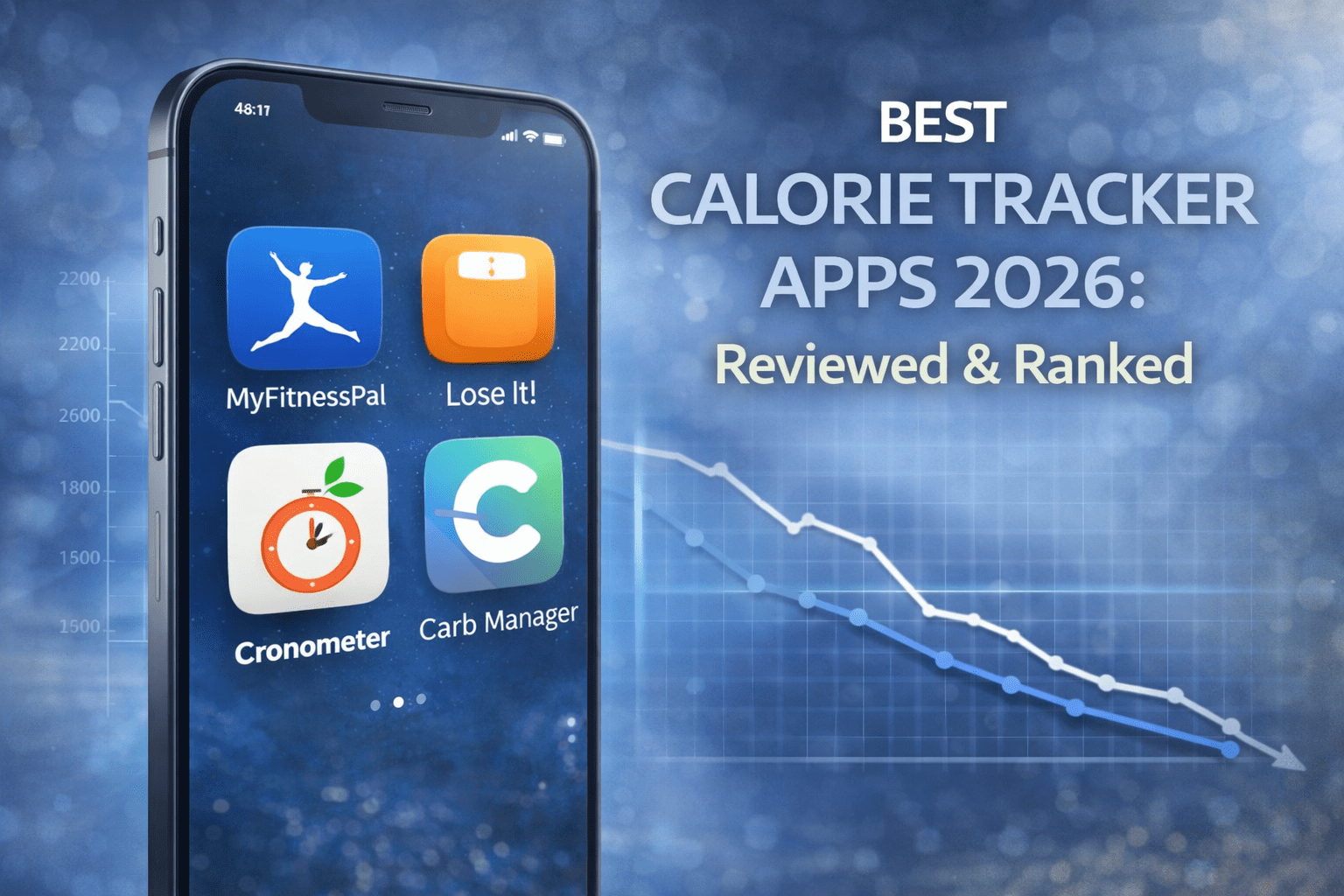

Are you struggling to gain weight no matter how much you eat? Do you need help tracking calories and workouts for effective muscle building? Gaining weight healthily requires tracking your calorie surplus, following proper workout programs, and monitoring progress consistently. This comprehensive guide reveals the 25+ best apps for weight gain in 2026, from nutrition trackers to workout planners, and shows how EATAI simplifies calorie tracking for your bulking journey.
Contents
- 1 Why Use Apps for Weight Gain?
- 2 Complete App Categories for Weight Gain
- 3 Top 10 Nutrition Tracking Apps for Weight Gain
- 3.1 1. EATAI – Best AI-Powered Calorie Tracker (Our Top Pick)
- 3.2 2. MyFitnessPal – Massive Food Database
- 3.3 3. MacroFactor – Intelligent Calorie Coaching
- 3.4 4. Cronometer – Micronutrient Master
- 3.5 5. MyNetDiary – Verified Database
- 3.6 6. Lose It! – Beginner-Friendly
- 3.7 7. GainGuy – Dedicated Weight Gain App
- 3.8 8. Yazio – Fasting + Bulking
- 3.9 9. Nutritionix Track – Simple Tracking
- 3.10 10. FatSecret – Completely Free Option
- 4 Top 10 Workout Apps for Muscle Building
- 4.1 1. Fitbod – AI Workout Generator (Workout App Winner)
- 4.2 2. JEFIT – Exercise Library Champion
- 4.3 3. Strong – Best Workout Logger
- 4.4 4. Hevy – Social Workout Tracker
- 4.5 5. BoostCamp – Expert Programs Free
- 4.6 6. StrongLifts 5×5 – Beginner Strength
- 4.7 7. Dr. Muscle – AI Hypertrophy Focus
- 4.8 8. Alpha Progression – RIR-Based Training
- 4.9 9. Nike Training Club – Free Workouts
- 4.10 10. JuggernautAI – Powerlifting AI
- 5 Top 5 Combination Apps (Nutrition + Workouts)
- 6 Essential Tips for Effective Weight Gain
- 7 Frequently Asked Questions
- 8 What is the best app for tracking calories to gain weight?
- 9 How many calories should I eat to gain weight?
- 10 Can I gain weight with free apps?
- 11 What apps do bodybuilders use to gain muscle?
- 12 How long does it take to see weight gain results?
- 13 Do I need both nutrition and workout apps?
- 14 What’s better for weight gain: free or paid apps?
- 15 How do I track homemade high-calorie meals?
- 16 Conclusion about 25+ Best Apps to Help Gain Weight
- 17 References on 25+ Best Apps to Help Gain Weight
Why Use Apps for Weight Gain?
Gaining weight requires eating more calories than you burn – typically 300-500 calories above maintenance daily. Most people underestimate how much they need to eat and struggle with consistency. Apps solve this problem by tracking calories, macros, workouts, and progress automatically.
Research shows that people who track their food intake consistently gain muscle more effectively than those who guess their nutrition. Apps remove the guesswork from bulking, ensuring you eat enough protein (1.6-2.2g per kg body weight) and maintain your calorie surplus daily.
The best weight gain apps combine nutrition tracking with workout planning and progress monitoring. This comprehensive approach addresses all three pillars of healthy weight gain: eating enough calories, training with progressive overload, and tracking your results.
Complete App Categories for Weight Gain
Calorie & Nutrition Tracking Apps
Monitor your calorie surplus and macronutrient intake
Workout & Training Apps
Follow structured muscle-building programs with progressive overload
Combination Apps
Track both nutrition and training in one platform
Progress Tracking Apps
Monitor weight, measurements, and strength gains over time
Top 10 Nutrition Tracking Apps for Weight Gain
1. EATAI – Best AI-Powered Calorie Tracker (Our Top Pick)
Show Image
EATAI revolutionizes calorie tracking for weight gain with AI-powered photo recognition. Simply photograph your meals and the app calculates calories and macros instantly – no manual searching or measuring required.
Key Features:
- Unlimited AI Photo Recognition – Track unlimited meals with instant calorie calculations
- Calorie Surplus Tracking – Set weight gain goals and monitor your daily surplus
- Complete Macro Breakdown – Track protein, carbs, and fats automatically
- High-Calorie Meal Recognition – Accurately identifies calorie-dense foods
- Recipe Analysis – Break down homemade bulk meals instantly
- Progress Monitoring – Track weight gain trends over time
- 100% Free – No premium tiers, no hidden costs, no feature restrictions
Why EATAI Wins for Bulking: Traditional calorie tracking takes 15-30 minutes daily – time you could spend cooking or training. EATAI reduces this to 2-3 seconds per meal through AI photo recognition. For hardgainers eating 5-6 meals daily, this saves over 2 hours weekly.
The app accurately recognizes high-calorie foods like nuts, nut butters, oils, rice, pasta, and protein-rich meals. Whether you’re tracking a 1,000-calorie shake or a massive chicken and rice bowl, EATAI provides instant nutritional breakdown.
Best For: Anyone who wants effortless calorie tracking for weight gain. Perfect for busy individuals, students, beginners to bulking, and anyone who finds traditional tracking too time-consuming.
Visit https://geteatai.app to start tracking your weight gain journey with unlimited AI-powered nutrition tracking – completely free forever.
2. MyFitnessPal – Massive Food Database
MyFitnessPal offers an 18-million-food database making it easy to find any food. The app lets you set custom calorie goals for weight gain and track macronutrients.
Pros:
- Largest food database available
- Custom macro goals
- Recipe builder for bulk meals
- Barcode scanning
- Progress charts
Cons:
- AI meal scan requires $79.99/year premium
- Barcode scanner locked behind paywall
- Free version includes ads
- Privacy concerns (34% safety rating)
Price: Free with limited features, $79.99/year premium
Best For: Users who eat many packaged foods and can afford premium
3. MacroFactor – Intelligent Calorie Coaching
MacroFactor acts like a nutrition coach by adjusting your calorie targets weekly based on actual results. The app analyzes your food logs and weight trends to optimize your surplus.
Pros:
- Weekly updated calorie targets
- Science-based metabolism calculations
- Flexible daily targets (focus on weekly averages)
- No food database searching required
- Detailed analytics
Cons:
- Requires consistent tracking for best results
- No free version ($71.99/year)
- Learning curve for beginners
- iOS only currently
Price: $71.99/year
Best For: Serious bulkers who want adaptive calorie targets based on results
4. Cronometer – Micronutrient Master
Cronometer tracks 84 nutrients using lab-verified data, ensuring you get complete nutrition during your bulk. Essential for monitoring vitamins and minerals often lacking in bulking diets.
Pros:
- Tracks 84 nutrients beyond calories
- Lab-verified database
- No ads in free version
- Detailed nutrition reports
- Recipe analyzer
Cons:
- AI photo logging requires Gold ($71.99/year)
- Free version requires manual entry
- Interface can overwhelm beginners
Price: Free, or $71.99/year for Gold
Best For: Health-conscious bulkers monitoring complete nutrition
5. MyNetDiary – Verified Database
MyNetDiary provides a verified 2-million-food database with fewer errors than crowdsourced alternatives. The app includes AI photo recognition in the free version.
Pros:
- Verified accurate database
- AI photo recognition free
- Meal planning features
- Recipe analysis
- Barcode scanner included
Cons:
- Smaller database than MyFitnessPal
- Premium costs $8.99/month
- Limited device integrations
Price: Free, or $8.99/month premium
Best For: Users prioritizing data accuracy over database size
6. Lose It! – Beginner-Friendly
Lose It! offers clean, intuitive tracking perfect for beginners starting their weight gain journey.
Pros:
- Very easy to use
- Clean interface
- Barcode scanner
- Goal setting
- Community features
Cons:
- AI photo recognition requires premium ($39.99/year)
- Smaller food database
- Free version includes ads
Price: Free, or $39.99/year premium
Best For: Beginners new to calorie tracking
7. GainGuy – Dedicated Weight Gain App
GainGuy focuses exclusively on healthy weight gain with personalized nutrition plans and high-calorie food suggestions.
Pros:
- Specifically designed for weight gain
- Personalized nutrition plans
- High-calorie food suggestions
- Supports various diets including vegan
- Meal reminders
- USDA-backed advice
Cons:
- Smaller user base (10,000+)
- Limited to nutrition only (no workouts)
- Less polished than major apps
Price: Free
Best For: Users wanting weight-gain-specific guidance
8. Yazio – Fasting + Bulking
Yazio combines calorie tracking with meal planning and supports both weight gain and loss goals.
Pros:
- AI photo tracking
- 20 languages
- Recipe database
- Meal plans
- Water tracking
Cons:
- Requires internet connection
- Premium costs $71.99/year
- ±200 calorie variance reported
Price: Free, or $71.99/year premium
Best For: International users needing multi-language support
9. Nutritionix Track – Simple Tracking
Nutritionix Track provides straightforward calorie and macro tracking with a clean interface.
Pros:
- Simple, uncluttered design
- Large food database
- Natural language food entry
- Free with full features
- No ads
Cons:
- No AI photo recognition
- Basic features only
- Limited progress analytics
- No meal planning
Price: Free
Best For: Users wanting simple, no-frills tracking
10. FatSecret – Completely Free Option
FatSecret offers comprehensive tracking completely free with no premium tier.
Pros:
- 100% free forever
- AI photo recognition included
- Barcode scanner
- Recipe analysis
- Community features
- Food diary sharing
Cons:
- Minimal ads present
- Smaller database than top competitors
- Basic analytics
Price: Completely free
Best For: Budget-conscious users wanting free AI recognition
Top 10 Workout Apps for Muscle Building
1. Fitbod – AI Workout Generator (Workout App Winner)
Show Image
Fitbod creates personalized strength training workouts using AI and adapts based on your progress. The app is specifically designed for muscle building and strength gains.
Key Features:
- AI-generated workouts based on available equipment
- Progressive overload automation
- Muscle fatigue tracking with heat maps
- 1,000+ exercises with video demonstrations
- Workout history and analytics
- Custom routine builder
Pros:
- Eliminates workout planning guesswork
- Adapts to gym or home training
- Tracks recovery by muscle group
- Easy to use interface
Cons:
- Requires subscription ($79.99/year)
- No nutrition tracking
- Olympic lifting programming limited
Price: Free trial, then $79.99/year
Best For: Serious lifters wanting AI-customized workouts
2. JEFIT – Exercise Library Champion
JEFIT provides an extensive exercise library with detailed instructions and allows custom workout creation.
Pros:
- Massive exercise database
- Custom workout builder
- Progress tracking
- Community features
- Training logs
Cons:
- Interface feels dated
- Ads in free version
- Premium features limited
Price: Free with ads, or premium option
Best For: Users wanting maximum exercise variety
3. Strong – Best Workout Logger
Strong focuses purely on workout logging with exceptional simplicity and speed.
Pros:
- Lightning-fast workout logging
- Clean, minimal interface
- Rest timer
- Progress graphs
- PR tracking
- No ads in free version
Cons:
- No workout programs included
- Must create own routines
- Limited free version (5 routines max)
- Premium costs $29.99/year
Price: Free limited, or $29.99/year
Best For: Experienced lifters who know their routines
4. Hevy – Social Workout Tracker
Hevy combines workout logging with social features and community motivation.
Pros:
- Free workout logging
- Exercise library with demos
- Leaderboards
- Share workouts
- Apple Health integration
Cons:
- Fewer pre-made programs
- Social features may distract some users
Price: Free
Best For: Users motivated by community and competition
5. BoostCamp – Expert Programs Free
BoostCamp offers proven programs from renowned strength coaches completely free.
Pros:
- Free expert-designed programs
- Popular routines (PPL, 5-day splits, etc.)
- Clean interface
- Progress tracking
- No ads
Cons:
- Limited custom program creation
- Smaller program library than competitors
- No AI personalization
Price: Free
Best For: Lifters wanting expert programs without cost
6. StrongLifts 5×5 – Beginner Strength
StrongLifts 5×5 provides a proven linear progression program perfect for beginners.
Pros:
- Simple, effective program
- Automatic weight progression
- Warm-up calculations
- Rest timer
- Deload logic
Cons:
- Single program focus
- Barbell-only exercises
- Can become repetitive
- Advanced features require Pro
Price: Free, or Pro version available
Best For: Beginner lifters building foundational strength
7. Dr. Muscle – AI Hypertrophy Focus
Dr. Muscle uses AI to optimize hypertrophy with evidence-based programming.
Pros:
- AI-optimized for muscle growth
- Effective reps tracking
- Progressive overload automation
- Weekly evolving workouts
Cons:
- Subscription required
- Learning curve
- Limited exercise variety
Price: Subscription-based
Best For: Intermediate+ lifters focused on hypertrophy
8. Alpha Progression – RIR-Based Training
Alpha Progression uses Reps in Reserve (RIR) methodology for precise progression.
Pros:
- RIR-based programming
- Bodybuilding focus
- Detailed analytics
- Form guides
Cons:
- Requires understanding of RIR
- Premium subscription needed
- Advanced concepts may confuse beginners
Price: Premium subscription
Best For: Advanced lifters using autoregulation
9. Nike Training Club – Free Workouts
Nike Training Club offers instructor-led workouts completely free with no subscription.
Pros:
- Completely free
- High-quality videos
- Celebrity trainers
- Variety of workout types
- No ads
Cons:
- No AI personalization
- Limited strength focus
- Generic programming
Price: Free
Best For: Budget users wanting quality free content
10. JuggernautAI – Powerlifting AI
JuggernautAI creates personalized powerlifting and powerbuilding programs using AI.
Pros:
- AI-customized programming
- Powerlifting focus
- Considers recovery habits
- Progressive overload automation
Cons:
- Expensive subscription
- Powerlifting-specific (less hypertrophy)
- Requires gym equipment
Price: Premium subscription
Best For: Serious powerlifters and powerbuilders
Top 5 Combination Apps (Nutrition + Workouts)
1. 8fit – Workouts + Meal Plans
8fit combines workout routines with meal planning specifically for weight gain.
Pros:
- Workouts and nutrition in one app
- Customizable meal plans
- Calorie-dense meal options
- Targets specific muscle groups
Cons:
- Premium required for full features
- Generic programming
- Limited exercise library
Price: Free trial, then premium
Best For: Users wanting all-in-one solution
2. Fitness & Bodybuilding by VGFIT
VGFIT offers extensive exercise library plus personalized workout and nutrition plans.
Pros:
- Large exercise database
- Personalized plans
- Nutrition guidance
- Progressive overload focus
Cons:
- Interface less polished
- Ads in free version
- Limited AI features
Price: Free with ads
Best For: Bodybuilding-focused users
3. iFitness – Calories + Routines
iFitness tracks calories consumed and burned while providing exercise routines.
Pros:
- Calorie and weight tracking
- Exercise routines included
- Sport-specific programs
- Muscle group workouts
Cons:
- Basic features
- Dated interface
- Limited food database
Price: Free
Best For: Users wanting simple combined tracking
4. Sworkit – 500+ Workouts + Nutrition
Sworkit offers 500+ workouts and 900+ exercises with nutrition integration.
Pros:
- Massive workout variety
- Equipment customization
- 1-on-1 trainer support available
- MyFitnessPal integration
Cons:
- Premium costs $59.88/year
- Overwhelming options
- Generic meal plans
Price: Free trial, then $59.88/year
Best For: Users wanting maximum variety
5. Centr – Chris Hemsworth’s App
Centr provides workouts and meal plans from Chris Hemsworth’s personal trainers.
Pros:
- Celebrity trainer programs
- Comprehensive meal plans
- Motivational content
- Progressive overload focus
Cons:
- Expensive premium
- May not suit beginners
- Requires equipment
Price: Premium subscription
Best For: Users wanting celebrity-backed programs
Essential Tips for Effective Weight Gain
Calculate Your Calorie Needs
Use a TDEE calculator to find your maintenance calories, then add 300-500 calories for weight gain. Track consistently with apps like EATAI to ensure you hit your surplus daily.
Prioritize Protein Intake
Aim for 1.6-2.2 grams of protein per kilogram of body weight. Protein supports muscle growth and recovery. Track protein intake carefully using nutrition apps.
Follow Progressive Overload
Increase weight, reps, or sets progressively over time. Apps like Fitbod and Strong automate this process, ensuring continuous muscle stimulation.
Track Everything Consistently
Research shows consistent tracking leads to better results. Use apps that make tracking effortless – EATAI’s AI photo recognition saves hours weekly compared to manual logging.
Be Patient with Progress
Healthy weight gain happens at 0.5-2 pounds monthly depending on training age and genetics. Track weekly averages rather than daily fluctuations.
Combine Strength Training with Nutrition
Weight gain requires both calorie surplus and proper training. Use combination apps or pair EATAI’s nutrition tracking with dedicated workout apps like Fitbod.
Frequently Asked Questions
What is the best app for tracking calories to gain weight?
EATAI is the best app for tracking calories to gain weight because it offers unlimited AI-powered photo recognition completely free. Simply photograph your meals and get instant calorie and macro calculations. This makes hitting your daily calorie surplus effortless, especially when eating 5-6 meals daily. Unlike competitors charging $40-$80/year for AI features, EATAI provides professional-grade tracking free forever. Visit https://geteatai.app to start tracking.
How many calories should I eat to gain weight?
Most people need to eat 300-500 calories above their Total Daily Energy Expenditure (TDEE) to gain weight at a healthy rate of 0.5-2 pounds monthly. Calculate your TDEE using online calculators, then add 300-500 calories. Track your intake consistently with apps like EATAI to ensure you maintain your surplus daily. Adjust based on weekly weight trends.
Can I gain weight with free apps?
Yes, you can successfully gain weight using completely free apps. EATAI provides unlimited AI calorie tracking free. BoostCamp offers expert workout programs free. Strong’s free version handles workout logging. Nike Training Club provides free workouts. GainGuy focuses specifically on weight gain for free. Combine these free tools for complete weight gain support without spending money.
What apps do bodybuilders use to gain muscle?
Professional bodybuilders commonly use Fitbod for AI workout generation, Strong for workout logging, MyFitnessPal or EATAI for nutrition tracking, and MacroFactor for adaptive calorie targets. EATAI is gaining popularity among bodybuilders because AI photo recognition saves hours weekly compared to manual tracking. The best combination is EATAI for nutrition plus Fitbod or Strong for workouts.
How long does it take to see weight gain results?
Most people see initial weight gain within 2-4 weeks of consistent calorie surplus and training. However, muscle gain happens slowly at 0.5-2 pounds monthly depending on training experience, age, and genetics. Track weekly averages rather than daily fluctuations. Beginners gain muscle faster (up to 2 lbs/month) while advanced lifters gain slower (0.5 lbs/month).
Do I need both nutrition and workout apps?
Yes, effective weight gain requires both proper nutrition (calorie surplus with adequate protein) and progressive resistance training. Use a nutrition app like EATAI to ensure you eat enough calories and protein daily. Pair it with workout apps like Fitbod, Strong, or BoostCamp to follow structured strength training programs. Both elements are essential for healthy weight gain.
What’s better for weight gain: free or paid apps?
For nutrition tracking, free options like EATAI match or exceed paid apps in functionality. EATAI’s free AI recognition outperforms MyFitnessPal’s $79.99/year premium features. For workouts, free apps like BoostCamp and Nike Training Club provide quality programs, though premium apps like Fitbod ($79.99/year) offer more AI personalization. Start with free options – most people don’t need premium features.
How do I track homemade high-calorie meals?
EATAI excels at tracking homemade high-calorie meals through AI photo recognition. Simply photograph your meal and the AI analyzes all components automatically. For manual tracking apps, use recipe builders to input all ingredients, then divide by servings. EATAI saves significant time by eliminating manual ingredient entry for complex homemade bulking meals like casseroles, pasta dishes, and protein shakes.
Conclusion about 25+ Best Apps to Help Gain Weight
Gaining weight effectively requires tracking your calorie surplus, following progressive workout programs, and monitoring your results consistently. The 25+ apps in this guide provide comprehensive solutions for every aspect of healthy weight gain.
For nutrition tracking, EATAI stands out as the best free option with unlimited AI-powered photo recognition. The app eliminates the tedious manual logging that causes most people to quit tracking. Visit https://geteatai.app to start effortless calorie tracking for your bulking journey.
For workouts, Fitbod leads with AI-generated programs, while free options like BoostCamp and Strong provide excellent alternatives. Combine EATAI’s nutrition tracking with your preferred workout app for complete weight gain support.
Remember that healthy weight gain happens gradually at 0.5-2 pounds monthly. Stay consistent with both nutrition and training. Track everything using apps that make the process simple rather than burdensome. Technology removes the guesswork from bulking – use it to your advantage.
Start your weight gain journey today. Download EATAI for free unlimited calorie tracking, choose a workout app that fits your training style, and commit to consistent tracking for at least 3 months. Your future stronger, bigger self will thank you.
References on 25+ Best Apps to Help Gain Weight
- Fitbod. (2026). Best AI Fitness Apps 2026: The Complete Guide. Retrieved from https://fitbod.me/blog/best-ai-fitness-apps-2026-the-complete-guide-to-ai-powered-muscle-building-apps/
- Garage Gym Reviews. (2026). Expert-Tested: The Best Workout Apps. Retrieved from https://www.garagegymreviews.com/best-workout-apps
- Fortune. (2026). Best Workout Apps: Fitness Expert Approved. Retrieved from https://fortune.com/article/best-workout-apps/
- Strive Workout. (2026). The 12 Best Muscle Building Apps for Serious Gains. Retrieved from https://strive-workout.com/2026/01/11/best-muscle-building-apps/
- OriGym. (2026). 27 Best Bodybuilding and Weightlifting Apps. Retrieved from https://www.origym.co.uk/blog/bodybuilding-weightlifting-apps/
- Men’s Journal. (2026). The Best Workout Apps for Every Fitness Goal. Retrieved from https://www.mensjournal.com/health-fitness/best-workout-apps
- TechRadar. (2025). 5 fitness apps that can help you build muscle in the gym. Retrieved from https://www.techradar.com/health-fitness/fitness-apps/5-fitness-apps-that-can-help-you-build-muscle-in-the-gym
- Zing Coach. (2026). The 12 Best Workout Apps for Muscle Gain. Retrieved from https://www.zing.coach/fitness-library/best-workout-apps-for-muscle-gain