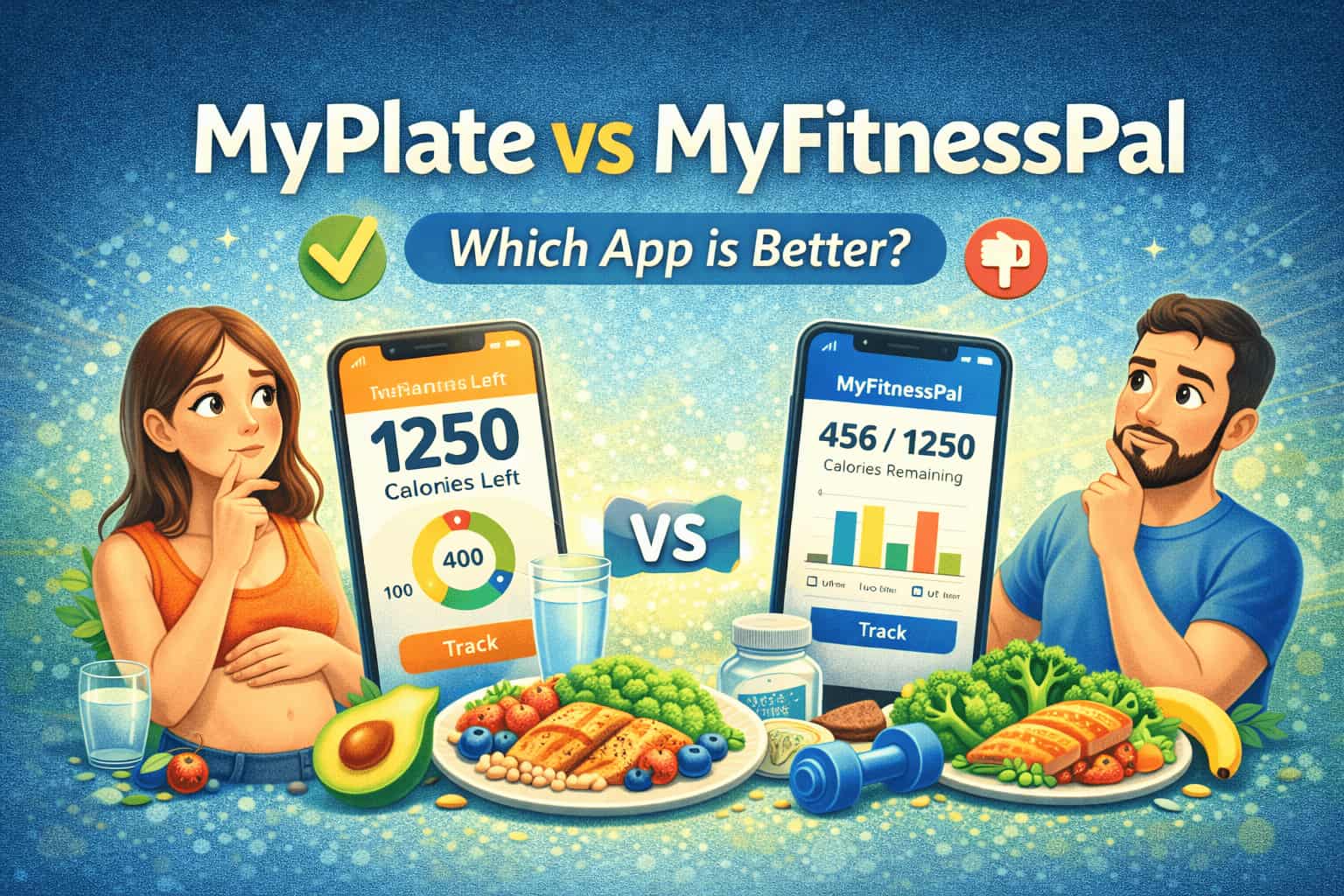
Are you trying to choose between MyPlate and MyFitnessPal for tracking your nutrition? Do you want to know which app offers better features for your goals? Both MyPlate and MyFitnessPal rank among the most popular calorie tracking apps, but they approach nutrition monitoring differently. This complete comparison shows you the key differences, pros and cons of each app, and introduces EATAI as a modern AI-powered alternative.
Contents
- 1 Quick Overview
- 2 Complete Feature Comparison
- 3 Detailed Comparison Table
- 4 Pros and Cons on MyPlate vs MyFitnessPal
- 5 Which App Is Right for You?
- 6 The Modern Alternative: EATAI
- 7 User Experiences and Reviews
- 8 Accuracy Considerations
- 9 Making Your Decision
- 10 Frequently Asked Questions about MyPlate vs MyFitnessPal
- 11 Is MyPlate or MyFitnessPal better for weight loss?
- 12 Can I use MyPlate or MyFitnessPal for free?
- 13 Which app has a better food database?
- 14 Do MyPlate and MyFitnessPal track exercise?
- 15 Are calorie tracking apps accurate?
- 16 Can I track macros with MyPlate and MyFitnessPal?
- 17 Is there a better alternative to both apps?
- 18 Which app integrates better with fitness devices?
- 19 Conclusion
- 20 References
Quick Overview
MyPlate (by Livestrong) focuses on simplicity and balanced nutrition based on USDA dietary guidelines. The app emphasizes whole foods and portion control with an easy-to-understand plate visualization.
MyFitnessPal (owned by Under Armour) offers comprehensive tracking with the largest food database available. The app provides detailed macro and micronutrient breakdowns for data-driven users.
Both apps help you track calories, set weight goals, and monitor your progress. However, they differ significantly in their approach, features, and ideal user types.
Complete Feature Comparison
Food Database
MyPlate:
- Solid food database with common items
- Includes packaged and fresh foods
- Restaurant menu items available
- Barcode scanning capability
- Smaller database than MyFitnessPal
MyFitnessPal:
- Over 14 million food items (industry-leading)
- Extensive restaurant menu database
- User-contributed entries
- Barcode scanner (Premium feature)
- International foods included
- Recipe importer feature
Winner: MyFitnessPal for database size and variety
Nutrition Tracking
MyPlate:
- Tracks calories and macronutrients (protein, carbs, fat)
- Monitors select micronutrients
- Large, colorful graphs for data visualization
- Track nutrients for 1 week up to 12 months
- Emphasizes balanced plate approach
- Visual presentation highly appealing
MyFitnessPal:
- Detailed macro tracking (protein, carbs, fat)
- Extensive micronutrient tracking
- Research shows it is efficient and accurate for total energy intake, sugar, macronutrients, and fiber
- Less accurate for sodium and cholesterol according to studies
- Crisp, detailed tracking information
- Daily average intakes over time periods
Winner: Tie – MyPlate for visual appeal, MyFitnessPal for detail
Exercise Logging
MyPlate:
- Comprehensive exercise database
- Various workouts, activities, and sports covered
- Log duration and intensity easily
- Integrates with fitness tracking
MyFitnessPal:
- Extensive activity database
- Wide range of workout types
- Calculates calorie burn from exercise
- Syncs with fitness trackers and devices
- More granular exercise tracking
- Apple Health and other integrations
Winner: MyFitnessPal for depth and integrations
Goal Setting
MyPlate:
- Set weight loss/gain goals
- Customize daily calorie limits
- Dietary preference settings
- Simple goal structure
- Progress charts available
MyFitnessPal:
- Customizable calorie goals
- Macro goals adjustable (Premium)
- Goals per meal (Premium)
- Weight, fitness, and nutrition goals
- More flexible goal options
Winner: MyFitnessPal for flexibility
User Interface
MyPlate:
- Clean, simple interface
- Large, colorful graphs
- Easy for beginners
- Plate visualization helpful
- Less overwhelming
MyFitnessPal:
- Feature-rich interface
- More information displayed
- Steeper learning curve
- Customizable dashboard
- Can feel cluttered
Winner: MyPlate for simplicity and ease of use
Mobile App Experience
MyPlate:
- Available on iOS and Android
- Smooth performance
- Quick syncing
- Apple Health integration can be tricky
MyFitnessPal:
- iOS and Android apps
- Apple Watch compatibility
- Excellent device sync
- Slightly better app performance
- More polished mobile experience
Winner: MyFitnessPal for overall app quality
Pricing
MyPlate:
- Free version available
- Premium: ~$44.99/year
- Premium features: Custom nutrition labels, daily averages, advanced statistics
- Good value for basic tracking
MyFitnessPal:
- Free version with ads
- Premium: $19.99/month or $79.99/year
- Premium features: Ad-free, barcode scanner, macro goals, food analysis
- More expensive than MyPlate
Winner: MyPlate for affordability
Detailed Comparison Table
| Feature | MyPlate | MyFitnessPal | EATAI |
|---|---|---|---|
| Food Database Size | Good | 14M+ items (Best) | Growing |
| Barcode Scanner | ✓ Free | Premium Only | Check app |
| AI Photo Recognition | ✗ No | ✗ No | ✓ Yes |
| Macro Tracking | ✓ Basic | ✓ Detailed | ✓ Yes |
| Micronutrient Tracking | ✓ Limited | ✓ Extensive | Check app |
| Exercise Database | ✓ Comprehensive | ✓ Extensive | Check app |
| Visual Data Presentation | ★★★★★ | ★★★★☆ | ★★★★★ |
| Ease of Use | ★★★★★ | ★★★☆☆ | ★★★★★ |
| Community Features | ✓ Yes | ✓ Yes | Check app |
| Recipe Importer | Limited | ✓ Yes | Check app |
| Custom Food Entry | ✓ Yes | ✓ Yes | Automated |
| Meal Plans | ✓ Yes | Limited | Check app |
| Free Version Quality | ★★★★☆ | ★★★☆☆ | ★★★★★ |
| Premium Cost/Year | $44.99 | $79.99 | Visit site |
| Best For | Beginners | Data enthusiasts | Everyone |
Pros and Cons on MyPlate vs MyFitnessPal
MyPlate Pros
✓ Simple, intuitive interface perfect for beginners ✓ Beautiful visual data presentation with colorful graphs ✓ Emphasizes balanced nutrition based on USDA guidelines ✓ More affordable premium option ✓ Plate visualization helps with portion control ✓ Community forum for support and motivation ✓ Includes meal plans and recipes ✓ Workout programs included
MyPlate Cons
✗ Smaller food database than competitors ✗ Less detailed micronutrient tracking ✗ No daily averages in free version ✗ Apple Health sync can be problematic ✗ Fewer customization options ✗ Less granular exercise tracking
MyFitnessPal Pros
✓ Largest food database (14+ million items) ✓ Extremely detailed nutrition tracking ✓ Excellent device and app integrations ✓ Recipe importer feature ✓ Remembers frequently eaten foods ✓ Strong community and social features ✓ Extensive exercise database ✓ Daily average calculations included
MyFitnessPal Cons
✗ More expensive premium subscription ✗ Barcode scanner locked behind paywall ✗ Can feel overwhelming for beginners ✗ User-contributed data sometimes inaccurate ✗ Ads in free version can be intrusive ✗ Research shows less accurate for sodium and cholesterol
Which App Is Right for You?
Choose MyPlate If You:
- Are new to calorie tracking and want simplicity
- Prefer visual data presentations
- Want to follow USDA balanced plate guidelines
- Need an affordable premium option
- Value meal plans and recipes in one app
- Want a less overwhelming interface
- Focus on overall balanced nutrition vs. precise macros
Choose MyFitnessPal If You:
- Need the largest possible food database
- Want extremely detailed nutrition tracking
- Track macros for bodybuilding or athletic performance
- Use multiple fitness devices and apps
- Don’t mind paying more for premium features
- Enjoy data-driven insights
- Need international food options
- Want strong community features
The Modern Alternative: EATAI
Both MyPlate and MyFitnessPal require manual entry of every food item. You must search databases, select portions, and calculate totals. This process takes 15-30 minutes daily and causes many people to abandon tracking.
How EATAI Revolutionizes Food Tracking
EATAI uses artificial intelligence to eliminate the tedious parts of calorie tracking. Instead of manually entering food, you simply take a photo of your meal. The AI instantly:
- Recognizes all foods in your photo
- Calculates calories automatically
- Determines portion sizes visually
- Provides complete macro breakdown
- Tracks your daily totals
This automation saves hours weekly compared to MyPlate or MyFitnessPal. You get accuracy without the time investment.
Key EATAI Advantages
Speed: Log meals in 5 seconds vs. 2-3 minutes with traditional apps
Accuracy: AI eliminates portion estimation errors and forgotten ingredients
Simplicity: No database searching or manual calculations required
Learning: The app gets smarter over time, recognizing your regular meals
Convenience: Perfect for restaurant meals where nutrition info is unavailable
Motivation: Easy tracking means you actually stick with it long-term
Visit https://geteatai.app to experience AI-powered food tracking that makes MyPlate and MyFitnessPal feel outdated.
User Experiences and Reviews
MyPlate User Feedback
Users appreciate MyPlate’s clean interface and visual appeal. The colorful graphs make it easy to see progress over time. Beginners find the app less intimidating than competitors.
Common complaints include the smaller food database and lack of daily averages in the free version. Some users report difficulty syncing with Apple Health.
MyFitnessPal User Feedback
Users praise MyFitnessPal’s comprehensive database and detailed tracking. The ability to find almost any food makes logging easier. Many users appreciate how the app remembers frequently eaten items.
Criticisms focus on the expensive premium tier and ads in the free version. Some users find the interface overwhelming with too many features and options.
Accuracy Considerations
Research shows that dietary analysis with MyFitnessPal is efficient and accurate for total energy intake, sugar, macronutrients, and fiber. However, it proves less accurate for sodium and cholesterol tracking.
Both apps rely on user-entered portion sizes, which introduces error. Studies show people commonly underestimate portions by 20-30%. Neither app can verify that you measured correctly.
This accuracy problem is why AI photo recognition (like EATAI) represents the future of food tracking. Visual analysis removes human estimation error.
Making Your Decision
Consider your primary goals first. Simple weight loss with balanced nutrition? Choose MyPlate. Precise macro tracking for athletic performance? Choose MyFitnessPal. Want the easiest, fastest tracking possible? Choose EATAI.
Think about your budget. MyPlate costs less annually. MyFitnessPal offers more features but at higher cost. EATAI eliminates the time cost that makes other apps difficult to maintain.
Try the free versions of both apps for a week. See which interface feels more natural to you. Many people find they prefer one over the other based purely on user experience.
Frequently Asked Questions about MyPlate vs MyFitnessPal
Is MyPlate or MyFitnessPal better for weight loss?
Both apps effectively support weight loss when used consistently. MyFitnessPal offers more detailed tracking with its 14 million food database, making it easier to find exact items. MyPlate provides simpler tracking with better visual motivation through colorful graphs. Research shows MyFitnessPal is accurate for total energy intake. Success depends more on consistent tracking than which app you choose. Pick the one you will actually use daily.
Can I use MyPlate or MyFitnessPal for free?
Yes, both apps offer functional free versions. MyPlate’s free version includes basic calorie and macro tracking with some limitations on advanced statistics and daily averages. MyFitnessPal’s free version includes ads and locks the barcode scanner behind premium. Most users find the free versions adequate for basic weight loss tracking. Upgrade to premium only if you need specific advanced features.
Which app has a better food database?
MyFitnessPal wins decisively with over 14 million food items versus MyPlate’s smaller database. MyFitnessPal includes extensive restaurant menus, international foods, and user-contributed entries. However, user-contributed data sometimes contains errors. MyPlate’s smaller but curated database may actually provide more reliable nutritional information. For most common foods, both databases work well.
Do MyPlate and MyFitnessPal track exercise?
Yes, both apps include comprehensive exercise databases. MyPlate logs duration and intensity for various workouts, activities, and sports. MyFitnessPal offers more granular exercise tracking with better device integration including Apple Watch and fitness trackers. MyFitnessPal calculates calorie burn and adjusts your daily calorie budget accordingly. Both apps help you balance food intake with activity level.
Are calorie tracking apps accurate?
Calorie tracking apps rely on database accuracy and user input precision. Research shows MyFitnessPal provides efficient accuracy for total energy intake, sugar, macronutrients, and fiber, but less accuracy for sodium and cholesterol. The biggest accuracy issue comes from portion estimation errors – people commonly underestimate by 20-30%. AI-powered apps like EATAI solve this by visually analyzing portions from photos, eliminating human estimation error.
Can I track macros with MyPlate and MyFitnessPal?
Yes, both apps track macronutrients (protein, carbohydrates, fat). MyFitnessPal offers more detailed macro tracking with customizable goals in the premium version. You can set specific gram targets for each macro and adjust goals by meal. MyPlate provides basic macro tracking suitable for general health but less precise for bodybuilding or athletic needs. For serious macro tracking, MyFitnessPal or a specialized app works better.
Is there a better alternative to both apps?
EATAI represents a modern alternative using AI photo recognition to eliminate manual entry. Instead of searching databases and estimating portions, you photograph meals for instant calorie and macro calculations. This saves 15-30 minutes daily compared to traditional apps. The technology learns your eating patterns over time for improved accuracy. Visit https://geteatai.app to try AI-powered tracking that makes traditional apps feel outdated.
Which app integrates better with fitness devices?
MyFitnessPal offers superior integration with fitness devices and apps. It syncs seamlessly with Apple Health, Fitbit, Garmin, Apple Watch, and numerous other platforms. MyPlate also integrates with Apple Health and major fitness trackers, though users report occasional syncing issues. If device integration is critical for your workflow, MyFitnessPal provides the most reliable connections across platforms.
Conclusion
MyPlate and MyFitnessPal both offer solid calorie tracking capabilities, but they serve different user types. MyPlate excels at simplicity with beautiful visual presentations perfect for beginners. MyFitnessPal provides comprehensive data tracking ideal for serious fitness enthusiasts who need detailed macro management.
Your choice depends on your goals, budget, and preference for simplicity versus features. Try both free versions to see which interface feels more intuitive. Success comes from consistent tracking, not from choosing the “perfect” app.
However, both traditional apps require significant time investment for manual food entry. The future of nutrition tracking lies in AI-powered automation. EATAI eliminates database searching and portion guessing by recognizing food from photos.
Visit https://geteatai.app to experience food tracking that takes seconds instead of minutes. The AI learns your meals over time and provides accurate calorie counts without the tedious manual work. Stop spending 30 minutes daily on food logging and start actually enjoying your nutrition journey.
Whether you choose MyPlate, MyFitnessPal, or EATAI, the most important factor is consistency. The best tracking app is the one you will actually use every day. Pick the solution that fits your lifestyle and stick with it long enough to see results.
References
- Cal AI. (2025). MyPlate vs MyFitnessPal. Retrieved from https://www.calai.app/blog
- MacTip. (n.d.). Comparison Between Myplate and Myfitnesspal iPad Nutrition Tracking Applications. Retrieved from https://www.mactip.net/comparison-myplate-myfitnesspal-ipad-nutrition-tracking-applications/
- Altinify. (2023). MyfitnessPal Vs. MyPlate: Which Is Better? Retrieved from https://altinify.com/
- Healthline. (2022). The 10 Best Nutrition Apps. Retrieved from https://www.healthline.com/nutrition/top-iphone-android-apps
- Develop Good Habits. (2022). 7 Best Calorie Counter Apps. Retrieved from https://www.developgoodhabits.com/calorie-counter-apps/
- SaaSHub. (n.d.). MyFitnessPal VS MyPlate – compare differences & reviews. Retrieved from https://www.saashub.com/compare
- AlternativeTo. (2025). MyPlate Alternatives: Top 12 Calorie & Nutrition Trackers. Retrieved from https://alternativeto.net/software/myplate/
- MyFitnessPal Community. (2013). Myfitnesspal vs. livestrong/ myplate. Retrieved from https://community.myfitnesspal.com/en/discussion/920013